See, criterion by criterion, what your training actually covers.
Send one recording of a class and we show you what it covers against the unit and where the gaps are. Then build, deliver and report from one place.
The report is free. It does not make you compliant on its own: your organisation stays responsible for that.
Drawn from the product. The unit, the criteria and the trainer are examples, not a published unit of competency.
From a gap to a closed gap
This is the part spreadsheets cannot do: the evidence comes from the teaching itself, at the moment it was taught.
Check the recording
Each criterion is graded against what was said, with the time it was said.
See the gap
A plain statement of what the recording does not show.
Record the missing piece
You get a script and a teleprompter, then splice it in.
Check it again
The criterion closes, with sealed evidence a reviewer can verify.

What you can show a reviewer
- The audit cockpit, with what you would be asked to produce in one place
- A reviewer link with a code, where every open is logged and access can be revoked
- Statements of Attainment with a public check
- Live class evidence: attendance and evidence tags during the class
Reporting and scope
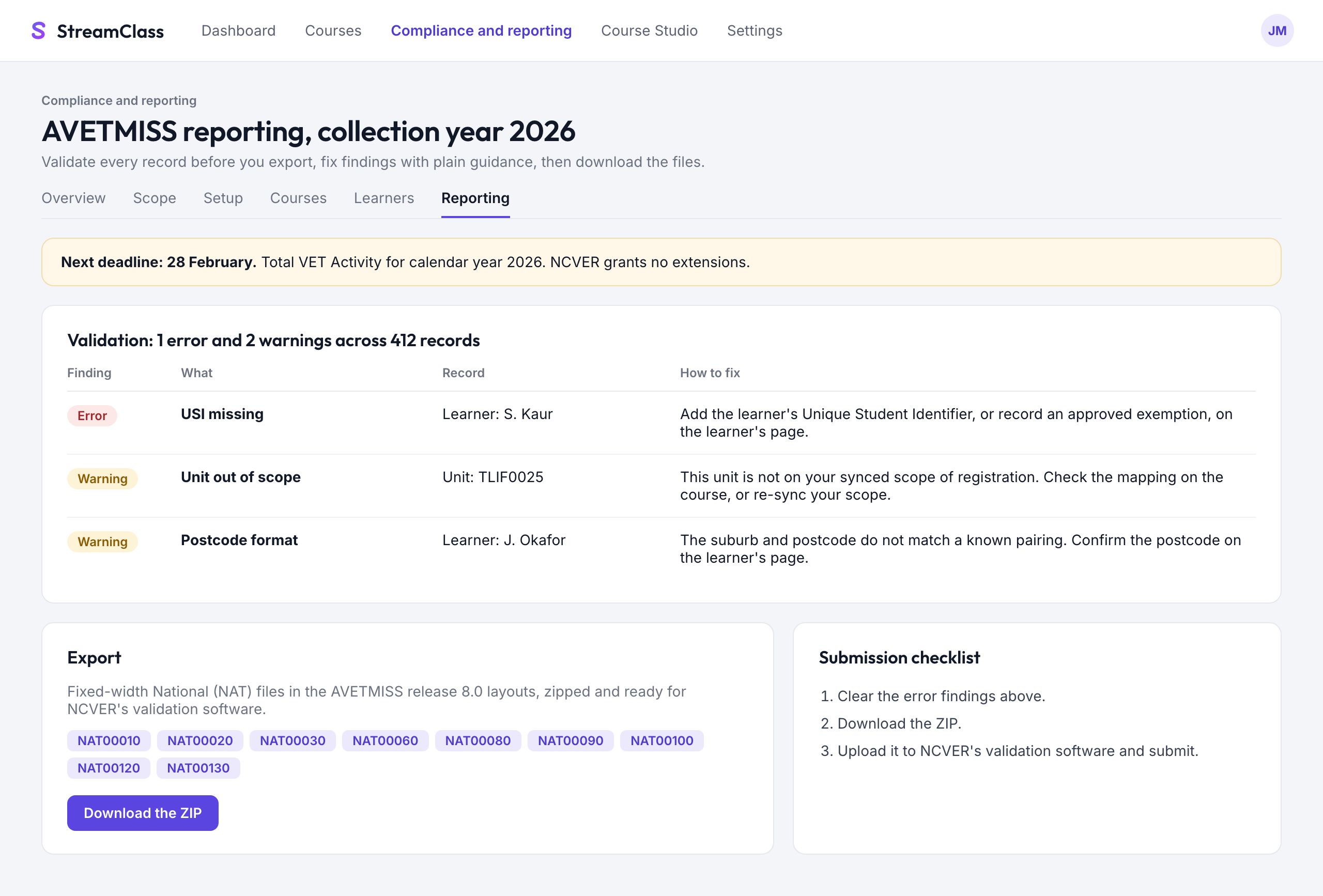
- AVETMISS records, validated as you enter them, with plain-English fixes
- NAT files to export. You lodge them, and we do not submit to NCVER for you
- Unique Student Identifier capture and checks
- Scope synced from training.gov.au, with Scope Guard on enrolment
- Marking, observations and a practitioner register
Also included: everything else in StreamClass
Your short courses and live classes run here too, with interactive replays, certificates and selling.
Beside your student system
You do not have to move everything on day one. Start with delivery and evidence.
What stays with you
Lodging files, your own compliance decisions and how you train and assess.
Stored in Sydney
Your records are kept in Australia. Our privacy policy lists what is processed elsewhere.
Start with one recording of a class
We will show you what it covers, and what it does not.